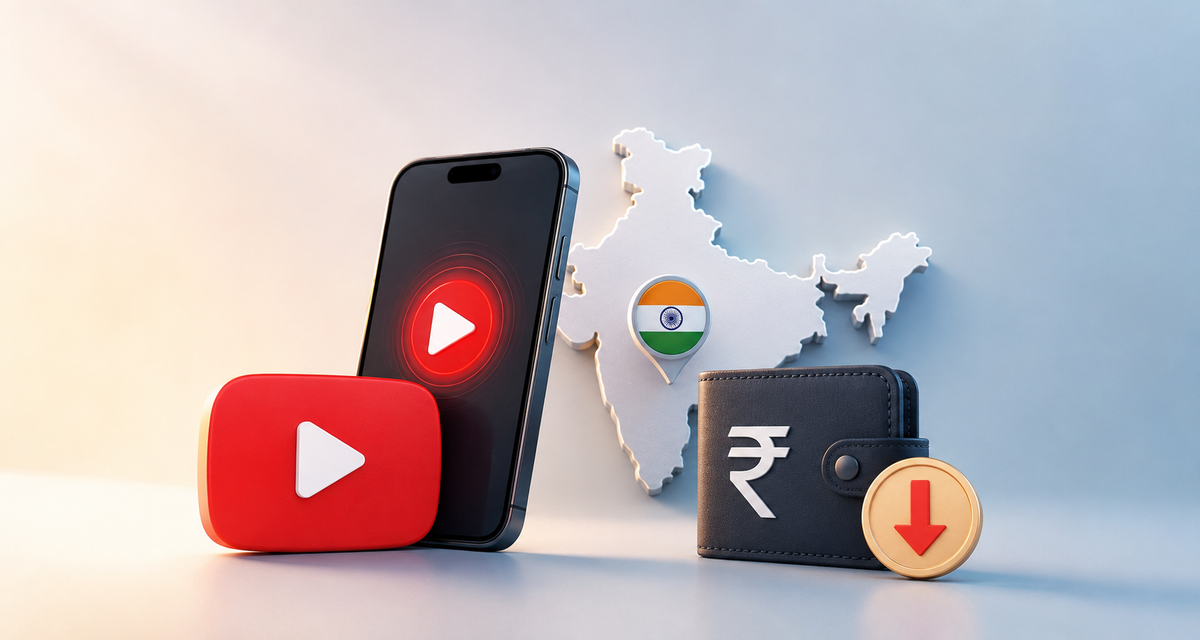
YouTube Premium is easily one of the best upgrades you can get if you spend a significant amount of time on the platform. Having zero ads interrupting your videos, being able to keep music or podcasts playing in the background when you switch apps, downloading videos for offline viewing, and getting full access to YouTube Music all make a massive difference in daily use.
There is just one obvious catch: the monthly subscription isn't exactly cheap in most Western countries, and the price keeps creeping up.
Because digital subscription prices vary wildly from country to country to match local purchasing power, a growing community of savvy users has found a clever way to significantly reduce that monthly cost by routing their subscription through India. Specifically, the workaround involves creating an Indian Apple account, loading it with an Indian iTunes/App Store gift card, connecting briefly to an Indian VPN server, and activating YouTube Premium directly through an iPhone or iPad.
It sounds a little complicated at first glance, but once you understand how each piece of the puzzle works, the logic behind the process is actually quite straightforward. Here is a complete, detailed look at how users are pulling this off from start to finish.
Editorial Note & Disclaimer: This article is provided strictly for informational purposes to explain how online communities navigate regional pricing differences. This workaround is not an official method endorsed by Google or Apple, and bypassing geographic restrictions may violate their Terms of Service. Furthermore, because tech companies regularly update their billing systems, this method requires manual setup and is not guaranteed to work forever. Readers who choose to explore unofficial workarounds do so entirely at their own discretion and risk.
What Is YouTube Premium?
At its core, YouTube Premium is Google's paid subscription tier that removes all the major restrictions and interruptions built into the free version of the platform.
The main benefits include:
- Ad-free videos: Watch everything on YouTube without pre-roll, mid-roll, or banner advertising interruptions.
- Offline downloads: Download supported videos directly to your smartphone or tablet so you can watch them later without an internet connection.
- YouTube Music included: Get full, ad-free access to YouTube’s dedicated music streaming service, complete with offline downloads and background listening.
- Background playback: Keep listening to videos or music while using other apps, or when your device's screen is locked and in your pocket.
If you use YouTube every single day, those features quickly make a surprisingly big difference. The real challenge for bargain hunters has been finding a way to unlock those exact same Premium features while paying a fraction of the standard European or US price.
How Can Users Get YouTube Premium for Less Than €3?
The entire method revolves around subscribing through the Indian Apple ecosystem, where the local subscription price for YouTube Premium translates to under €3 a month when converted into Euros.
Why do people go through Apple instead of simply turning on a VPN on a computer? Because Google now blocks almost all foreign credit and debit cards when you try to subscribe from a different country on the web.
Instead of paying with a normal European Apple account and local payment method, users create a separate Apple account with India selected as its country or region. They then add Indian App Store/iTunes credit to that secondary account via prepaid gift cards and use that balance to pay for YouTube Premium inside the iOS app. A VPN is also used briefly during the activation process to connect the device to an Indian server so the app loads the Indian pricing tier.
What Is Needed Before Starting
Users who rely on this method make sure they have three specific things ready before purchasing anything:
- An Apple device: An iPhone or iPad is strictly required for this particular activation procedure, as the payment relies on Apple's in-app billing system. (Once activated, however, Premium works on any device, including Android, Windows, Mac, and Smart TVs).
- A new Apple account set to India: Rather than altering their personal Apple account—which can disrupt existing subscriptions and settings—users create a fresh, separate account just for this setup.
- A VPN with servers in India: A VPN service that offers Indian server locations (NordVPN is one popular option) is needed for a few minutes during activation.
Once those three pieces are in place, the actual setup begins.
The Complete Step-by-Step Process
Step 1: Create a New Indian Apple Account
First, the process requires a separate Apple account configured specifically for India.
Users head to Apple’s official website and begin creating a brand-new Apple Account (formerly Apple ID). During registration, the essential detail is selecting:
- Country/Region: India
From there, they complete the rest of the standard account creation prompts (email, password, and verification codes) requested by Apple.
The country selection matters because Apple gift cards are strictly tied to specific stores and regions. An Indian gift card is intended to be redeemed exclusively through an account associated with the Indian store. That is why experienced users always get their Indian Apple account fully set up and verified before purchasing a gift card.
Step 2: Sign In to the App Store With the Indian Account
Next, the user grabs their iPhone or iPad to sign into the App Store with the newly created Indian Apple account. Importantly, this is done inside the App Store app itself—not in the main iCloud device settings, so personal photos, contacts, and backups remain untouched.
- Open the App Store and tap the profile icon in the upper-right corner.
- Scroll all the way down to the very bottom of the page until the Sign Out option appears.
- Tap Sign Out, then scroll back up and log into the App Store using the new Indian Apple account.
Making sure the correct Indian account is active in the App Store before moving on to the gift card is vital; otherwise, you will run into regional error messages when trying to redeem the code.
Step 3: Buy an Indian iTunes / App Store Gift Card
The next step is adding money (in Indian Rupees) to the Indian Apple account.
One of the most common ways people do this is through digital marketplaces like Eneba, where you can search for iTunes or Apple App Store gift cards intended specifically for India. For example, a user might look for a card worth:
- 1,000 INR
When searching, buyers pay close attention to the card’s region tag. They are looking strictly for an India-compatible gift card—not an Italian, European, US, or other regional version.
Compare the Available Sellers:
Savvy buyers don’t automatically purchase the very first offer they see at the top of the page. Marketplaces often display a "Featured" or "Recommended" offer prominently even when another verified seller further down the list has the exact same gift card at a lower total price.
Users scroll down through the available offers and compare them before buying, keeping a close eye on the final checkout price since service fees can affect how much you actually pay. Once the best offer is selected, they proceed to checkout using a standard payment method like PayPal or a debit/credit card.
Step 4: Don’t Worry About the Regional Warning
When purchasing an Indian gift card while browsing from another country, platforms like Eneba will display a prominent warning stating that the digital key will not work in your current country’s App Store. For example, if someone accesses Eneba from Italy, they will see a message explaining that the key cannot be activated in Italy.
In this context, that warning is completely expected. The buyer is deliberately purchasing a gift card for the Indian App Store, and it isn't supposed to be redeemed through an Italian or European Apple account.
Users simply double-check that the gift card really says India, tick the confirmation box acknowledging that they understand the regional restriction, and complete the purchase.
Step 5: Redeem the Gift Card on the iPhone or iPad
After completing the purchase on the marketplace, the buyer receives their digital gift card code.
They then return to their iPhone or iPad, double-check that they are still signed into the App Store with their Indian Apple account, open their App Store profile, and tap:
- Redeem Gift Card or Code
While Apple allows users to scan a physical card with their camera, for a digitally purchased gift card, the user simply chooses to enter the code manually, pastes the code they received, and confirms the redemption.
If everything has been set up correctly, the amount immediately appears as available credit on the Indian Apple account. For example, redeeming a 1,000 INR card adds 1,000 INR to the account balance. At this stage, the funds needed to pay for the subscription are sitting safely in the Apple balance.
Step 6: Connect the VPN to India
Now it is time to use the VPN.
Before opening YouTube, the user launches their preferred VPN app on the iPhone or iPad, opens the list of available countries, and selects:
- India
They then connect to an available Indian server. While NordVPN is one popular option, the only real requirement for this procedure is having access to a working server routed through India. Users wait until the VPN app confirms that the connection is fully established before continuing.
Step 7: Open YouTube and Choose Premium
With the VPN actively connected to India, the user opens the YouTube app on their iPhone or iPad (logged into the normal Google account where they want Premium activated) and navigates to the section offering the upgrade to YouTube Premium.
Because of the Indian VPN connection and Indian App Store session, the Premium subscription screen displays the available plans and prices in Indian Rupees (INR).
Users carefully review what is shown on the screen before confirming anything—specifically checking the INR price and billing period so they know exactly how much Apple will charge. Once happy with the offer, they tap through to continue with the subscription process.
Step 8: Pay Using the Apple / iTunes Balance
During checkout, Apple's payment prompt slides up and sets the subscription to be charged using the credit available on the Indian Apple account.
That is the exact reason why the Indian gift card was purchased and redeemed earlier. Instead of relying on a normal European credit card (which Google would block), the subscription cost is deducted directly from the pre-loaded Apple/iTunes balance. The user continues through Apple’s standard purchase confirmation process.
However, on a brand-new account, there is one additional screen that frequently appears right here.
Step 9: What If Apple Shows a “Review” Message?
Users shouldn't be surprised if Apple displays a “Review” popup while attempting to complete their very first purchase with the newly created account. A message typically appears along the lines of:
"This Apple Account has not yet been used in the iTunes Store."
Apple will then ask the user to review or complete their account information before the transaction can go through.
When this happens, the user taps the Review button and completes the requested store registration information for India. Because the procedure requires the account’s store profile to be configured for India, users follow the fields shown by Apple—leaving the payment method set to "None" (or store credit) and entering an Indian billing address and phone number that meet Apple’s standard format requirements.
Once the one-time account review is completed and saved, they simply return to the YouTube app and resume the Premium checkout.
Step 10: Complete the YouTube Premium Subscription
Returning to the YouTube Premium purchase screen, the user confirms the subscription using their available Apple balance.
Once the payment is accepted, YouTube Premium becomes active on their Google account. Experienced users don’t immediately start changing all their settings back right away, though. First, they verify that the subscription was properly activated.
They open the Purchases and memberships (or subscriptions) section inside the YouTube app and check that YouTube Premium officially appears as Active. Once confirmed, the hard part is officially over.
Step 11: Disconnect the VPN
Once YouTube Premium has been successfully activated, there is no need to keep the VPN connected just to use Premium.
The user can immediately disconnect from the Indian VPN server and return to their normal local internet connection. When they reopen YouTube, all their Premium benefits remain active. They can now enjoy ad-free viewing, background playback, offline downloads, and YouTube Music at full speed without maintaining a VPN connection.
Step 12: Switch Back to the Regular Apple Account
Similarly, users don’t have to keep their Indian Apple account permanently signed into the App Store for normal everyday use.
After confirming that the Premium subscription is active, the user can open the App Store, sign out of the Indian account, and log right back into their regular, everyday Apple account. The only crucial rule is making sure the YouTube subscription was fully completed and verified before switching the App Store accounts back.
Quick Recap: The Entire Process From Start to Finish
Here is a quick summary of the whole workflow:
- Create a new Apple account on Apple's website and choose India as the country or region.
- Sign into the App Store on an iPhone or iPad with that new Indian account.
- Purchase an Indian iTunes/App Store gift card (for example, through Eneba), making sure to compare sellers and buy an India-specific card.
- Redeem the gift card in the App Store using the Indian Apple account and check that the INR balance has been added.
- Open a VPN and connect to an Indian server.
- Launch the YouTube app and open the Premium subscription page.
- Choose the Premium plan and proceed to checkout.
- Pay using the INR balance loaded onto the Indian Apple account.
- Complete Apple’s account review if the first-time “Review” popup appears.
- Verify that YouTube Premium is active in YouTube's membership settings.
- Disconnect the VPN.
- Switch the App Store back to your regular Apple account.
How Much Can Users Actually Save?
The main motivation for going through all these extra steps is simple: the massive regional price difference. When the Indian YouTube Premium subscription billed through an Apple account works out to less than €3 per month, the savings add up considerably over a full year compared to standard Western prices.
However, you shouldn't judge the deal solely by converting the nominal INR subscription price into Euros. You also have to consider how much you are actually paying to obtain the Indian gift card.
For example, marketplace sellers may charge slightly more than the gift card’s direct bank exchange value, and there may also be small transaction or service fees at checkout. A simple calculation reveals the true cost:
Total gift card cost (in €) ÷ Number of months of Premium it covers = Effective monthly cost
That effective monthly cost is the number that really matters. Before buying a large amount of credit, smart users calculate their effective monthly cost to decide whether the savings justify the extra setup steps.
Important Things to Check Before Buying a Gift Card
Gift cards are the one part of this process where you need to pay particular attention. Once you have purchased a region-locked digital code and viewed the key, getting your money back is usually impossible.
Before paying for a gift card, always check that:
- The gift card is specifically for India (not Europe, the US, or the UK).
- The card is compatible with Apple’s Indian App Store / iTunes (and not Google Play).
- You have already created your Indian Apple account successfully before spending money.
- The card denomination provides enough INR balance to cover the subscription price.
- The final marketplace checkout price (including fees) still makes the method worthwhile.
Whenever possible, it is also smart to check the current YouTube Premium INR price shown in the app before committing a large amount of money to gift cards. Because this is an unofficial method, prices, Apple account requirements, regional availability, and subscription conditions can change over time. Loading a modest amount of credit (like 1,000 INR) is much safer than stockpiling years of credit on an account if Apple or Google ever decides to patch the loophole.
Do Users Need to Keep Buying Gift Cards?
Yes. Because a YouTube Premium subscription is recurring, the Indian Apple account needs enough balance to cover future monthly renewal charges. That means the initial gift card isn't a one-time purchase that pays for Premium forever—it only covers as many billing cycles as the credit allows.
Users who rely on this setup keep an eye on the remaining balance on their Indian account (or set a calendar reminder). When the remaining INR credit is no longer enough to cover the next renewal, they simply buy and redeem another compatible Indian gift card if they want the subscription to continue uninterrupted.
This is particularly important to remember once you switch your App Store back to your everyday European Apple account, since it is easy to forget about the separate Indian account running in the background.
Frequently Asked Questions (FAQ)
Do I need an iPhone to use this method?
You need an Apple mobile device for this particular activation procedure—either an iPhone or an iPad—because the payment goes through Apple's App Store billing system. Once the subscription is active on your Google account, however, you can enjoy YouTube Premium on any device (Android, PC, Mac, Smart TVs, etc.).
Why do I need a separate Indian Apple account?
The gift card used in this procedure is strictly locked to the Indian App Store. Having a separate account registered to India allows you to access that regional store and redeem the compatible Indian credit without messing up your primary Apple account.
Can I redeem an Indian gift card on my Italian or European Apple account?
No. The method relies on redeeming the India-specific gift card through an Indian Apple account. Attempting to redeem an Indian code on an Italian, French, German, or US store account will result in a region-mismatch error.
Where can I buy the Indian iTunes gift card?
Eneba is one well-known digital marketplace where India-specific iTunes/App Store gift cards are regularly available from third-party sellers. Always check the region tag and compare seller prices before purchasing.
How much credit should I buy?
A 1,000 INR gift card is a common starting denomination because it covers multiple months of Premium at once without tying up too much money. The exact amount you need depends on the Premium price displayed when you subscribe and how many monthly renewals you want your balance to cover upfront.
Why does Eneba say that my gift card won’t work in Italy (or Europe)?
Because you are purchasing an Indian key while browsing from a European IP address. The regional warning is simply reminding you that the code isn't intended for the Italian or European App Store—which is the exact reason why this process uses a dedicated Indian Apple account.
Do I need a VPN?
Yes, a VPN with an Indian server is used during the subscription activation process so the YouTube app displays the Indian subscription offer.
Which VPN can I use?
NordVPN is one popular option, though the only real requirement for this procedure is having access to a reliable VPN with a functional server located in (or routed to) India.
Do I have to leave the VPN running all the time?
No. Once YouTube Premium has been activated successfully, the VPN does not need to remain connected for normal everyday YouTube Premium use.
Can I switch back to my normal Apple account afterward?
Yes. As soon as you have confirmed that Premium is active on your YouTube account, you can sign out of the Indian account in the App Store and return to your regular Apple account.
What does the Apple “Review” popup mean?
It commonly appears when a newly created Apple account hasn't yet been fully configured for its first transaction in the iTunes/App Store. Simply follow Apple’s prompts to complete the required Indian store address information, then return to the YouTube Premium checkout.
What happens when my Indian Apple balance runs out?
Because YouTube Premium renews periodically, the Indian Apple account needs sufficient balance for future charges. If the account doesn't have enough INR credit left when a monthly renewal is due, the payment will fail and the subscription will not renew until more credit is added.
YouTube Premium for Less Than €3: Is the Workaround Worth It?
If you are a regular YouTube user, having Premium makes the platform vastly more enjoyable. You get ad-free videos, background playback, offline downloads, and YouTube Music, all bundled under a single subscription.
The main drawback of this money-saving method is that it is an unofficial workaround: setting everything up takes noticeably more work than simply pressing the standard "Subscribe" button in your home country, and there is no guarantee that Apple or Google won't change their regional billing policies in the future. You need an iPhone or iPad, a separate Indian Apple account, an India-compatible iTunes gift card, and a VPN just to get started.
Once that initial 15-minute setup is finished, however, day-to-day use becomes completely effortless. You can disconnect the VPN and return to your usual Apple account while continuing to use all the Premium features across every device you own—just as long as you remember to keep an eye on your Indian Apple balance when the next renewal comes around.